
Best Areas for Remote Workers in Colorado Springs (2026)

Best Areas for Remote Workers in Colorado Springs (2026): Where Your Wi-Fi, Your Workday, and Your Budget All Win
Here's the straight answer: the best areas for remote workers in Colorado Springs are the ones where you can confirm fast, reliable internet at the exact address first, and then match the lifestyle you actually want after you close the laptop. For most people, that narrows things down to a handful of options: the walkable older neighborhoods around downtown and Old Colorado City, the north side near I-25 (Briargate, Northgate, Flying Horse, Interquest), the newer northeast communities like Wolf Ranch, Cordera and Banning Lewis Ranch, Monument to the north, and the more spread-out east side in Falcon and Peyton.
There is no single "best" spot. There's the best spot for your job, your upload speed needs, how often you fly, and how much yard you want to mow between Zoom calls. Let's sort it out.
What Actually Matters When You Work From Home Here
Remote workers shop for homes differently. A buyer who commutes cares about drive time. You care about whether the video call freezes when your teenager starts gaming. Here's what we'd put at the top of the list.
1. Internet at the address, not the zip code
This is the big one, and it changes block by block. A provider "serving" a zip code does not mean it serves the house you're looking at.
- Inside Colorado Springs city limits: Colorado Springs Utilities has been building a citywide fiber network designed to reach every address inside the city, with a target completion in 2028. As of October 2026, Utilities reported the network has passed more than 75,000 homes.
- A provider change is coming: On October 21, 2026, Colorado Springs Utilities approved Google-owned gFiber as the new primary provider on that network, replacing Ting. According to The Gazette, the transition is expected to wrap up in early 2027, and current Ting internet customers will need to sign up with gFiber or another provider rather than being switched automatically. If the home you're buying has Ting service today, plan for that switch.
- Other providers are building too: Metronet has been running its own citywide fiber build, according to the Pikes Peak Bulletin, and cable and other options exist across much of the metro.
- Outside city limits: Falcon, Peyton, Black Forest and Monument are not part of the city's fiber footprint, so options depend on which private providers have built out to that specific street. Some newer subdivisions have strong wired options. Some acreage properties don't.
The easiest first check is the FCC National Broadband Map, where you can type in an address and see which providers report service there. Then confirm directly with the provider before you commit. Maps are a starting point, not a promise.
2. Upload speed, not just download
Download speed is what the ads brag about. Upload speed is what decides whether you look crisp or pixelated on a client call, and how long it takes to send big files. Fiber typically offers matching upload and download speeds. Many other connection types don't. If your job involves video, large files or a lot of cloud work, ask about upload specifically.
3. A real workspace
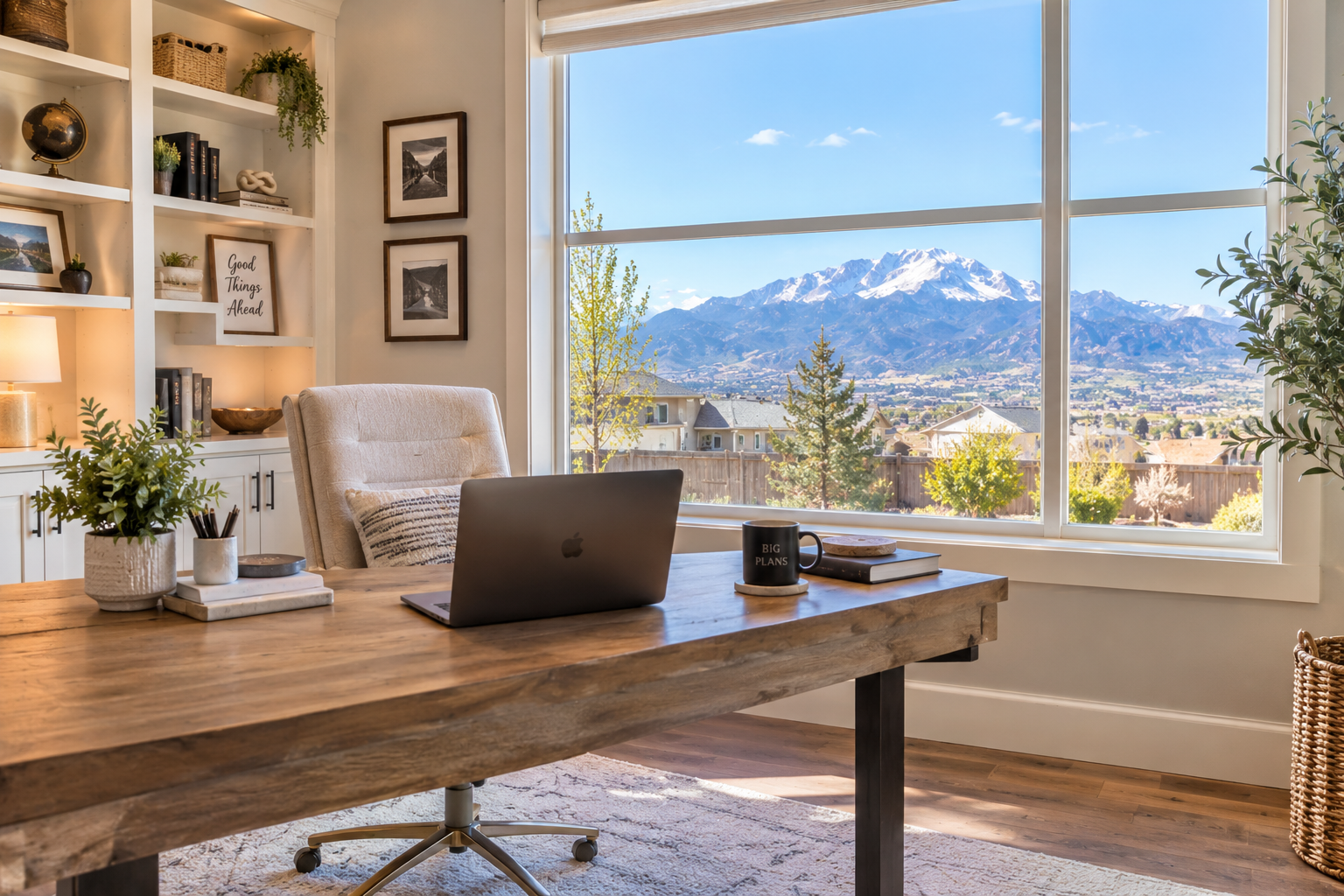
"Flex room" sounds great until you realize it's a hallway with ambition. Look for a room with a door, decent natural light, and enough distance from the kitchen and the TV. Finished basements, upstairs lofts with a door added, and main-floor studies are all common in Colorado Springs floor plans, especially in newer construction.
4. Somewhere to go when the house gets loud
Every remote worker needs an escape hatch. The Pikes Peak Library District offers free study rooms and meeting rooms with a library card. Study rooms can be reserved up to a week ahead for up to two hours a day, and locations like East Library, Library 21c and Rockrimmon Library have them. That's a solid backup for a quiet call or an interview.
5. Airport access if you travel for work
If your "remote" job includes quarterly trips to headquarters, airport access matters. Colorado Springs Airport sits on the east side of town and offers nonstop flights to a list of major cities. For more routes, many locals drive to Denver International Airport on the far side of Denver, which is a much longer trip. If you fly a lot, living on the east or north side can make either airport easier to reach.
The Best Areas for Remote Workers in Colorado Springs
Downtown, the Old North End and Old Colorado City
If you want to walk to coffee, lunch and an evening out, the older core of the city is where you'll find it. Housing here includes historic homes, older bungalows, condos and some townhomes. The Penrose Library is downtown if you want a change of scenery.
Why remote workers like it: walkability, character, and the ability to leave the house without starting a car.
What to check: older homes can mean smaller rooms, fewer dedicated office spaces, older wiring and limited parking. Confirm internet options at the exact address and get a thorough inspection on the electrical system.
North Colorado Springs: Briargate, Northgate, Flying Horse and Interquest
The north side is popular with remote workers who still need to get to Denver occasionally, since I-25 is right there. You'll find a wide mix of homes from the 1980s through brand-new construction, lots of shopping and dining around Interquest and Briargate Parkway, and Library 21c nearby.
Why remote workers like it: I-25 access, newer floor plans with home offices, and plenty of places to grab lunch.
What to check: pricing tends to run higher in some of these communities, and HOA or metro district costs vary widely. Review the disclosures before you fall in love with the kitchen.
Northeast Colorado Springs: Wolf Ranch, Cordera and Banning Lewis Ranch
These master-planned communities on the northeast and east side of the city offer a lot of newer construction, community amenities, parks and trails. Many floor plans include a study or loft that actually works as an office.
Why remote workers like it: newer homes built with modern wiring, community amenities for a midday break, and easier access to Colorado Springs Airport than the west side.
What to check: metro district taxes and HOA dues are part of the cost of living in many of these communities. Factor them into your monthly payment, not just the purchase price. And always verify the specific internet providers at the address.
Monument and the Tri-Lakes Area
Monument sits north of Colorado Springs along I-25, closer to the Denver metro. It's a common pick for people who split time between a home office and an office up north. You'll find established neighborhoods, newer subdivisions and some larger lots with trees.
Why remote workers like it: a shorter drive north for hybrid schedules and a small-town feel with Colorado Springs still within reach.
What to check: Monument is its own town, so city fiber plans don't apply. Internet options vary by neighborhood. Winter driving on the Monument Hill stretch of I-25 is also something to plan around if you commute even part of the week.
Falcon, Peyton and Meridian Ranch
Full disclosure: this is our neck of the woods. We live in Meridian Ranch in Peyton, so we're a little biased, but we'll still give you the honest version.
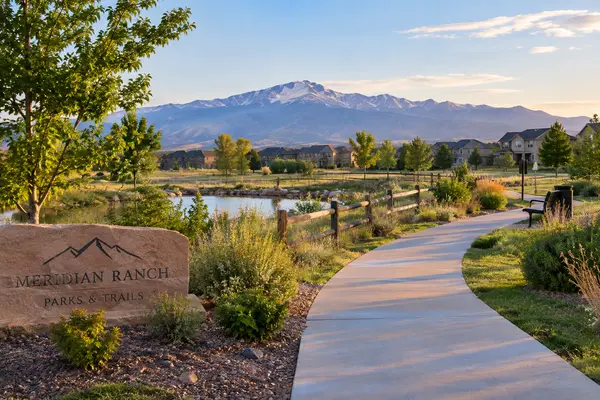
The east side offers more space for the money in many cases, a lot of newer construction, and communities with real amenities. Meridian Ranch, for example, has a large recreation center, Antler Creek Golf Course and a long list of neighborhood parks, according to builder information for the community. Longview Park and WindingWalk Park are two of our favorites, and we host most of our community events there. When you need to get out of the house for lunch, you'll often find us at Madera's Grill and Cantina at Antler Creek eating our favorite pork chop meal (Crystal will have a dirty martini, but maybe not during your 2 p.m. budget meeting). And Sonora's Prime in Falcon, a taco shop plus full-service carnicería, is a local favorite for a reason.
Why remote workers like it: more home and lot for the budget in many cases, newer floor plans with office space, amenities close by, and proximity to Colorado Springs Airport and the east side bases.
What to check: these communities are outside city limits, so internet providers vary by subdivision and even by street. Confirm before you write an offer. The east side also means more driving for errands west of Powers Boulevard and to the mountains. And HOA covenants are real: we have personally received more than a handful of covenant notices for not pulling our trash cans back up the same day they were emptied. Read the rules. Then actually follow them. Learn from us.
Black Forest
Black Forest is acreage, trees, and room to breathe. If your dream workday includes looking out at ponderosa pines instead of a neighbor's garage, it's worth a look.
Why remote workers like it: space, privacy and larger lots without being far from north Colorado Springs.
What to check: internet is the deal breaker here. Some properties have good wired service. Others rely on fixed wireless or satellite. Verify at the address with the provider, not just a map. Many homes are on wells and septic systems, which need their own inspections. And wildfire risk is a serious consideration: the 2013 Black Forest Fire destroyed more than 500 homes, and fire mitigation and insurance costs should be part of your research.
The West Side: Rockrimmon and Near the Foothills
If your ideal lunch break is a trail run, the west side puts you closer to the foothills. Rockrimmon has established homes, hilly streets and quick access to I-25, plus a library with a reservable study room.
Why remote workers like it: mountain views, trail access and established neighborhoods.
What to check: homes here are often older, so plan for updates. Hillside lots, wildfire mitigation and insurance are worth researching. Colorado Springs Airport is a longer drive from this side of town.
Quick Comparison
|
Area |
Why remote workers look here |
Check first |
|---|---|---|
|
Downtown / Old North End / Old Colorado City |
Walkability, coffee, character |
Room for an office, older wiring |
|
Briargate / Northgate / Flying Horse / Interquest |
I-25 access, newer floor plans |
HOA and metro district costs |
|
Wolf Ranch / Cordera / Banning Lewis Ranch |
Newer homes, amenities, airport access |
Metro district taxes, provider at address |
|
Monument |
Closer to Denver for hybrid schedules |
Internet by neighborhood, winter I-25 |
|
Falcon / Peyton / Meridian Ranch |
Space for the budget, amenities |
Internet by street, drive time west |
|
Black Forest |
Acreage and privacy |
Internet, well, septic, wildfire |
|
Rockrimmon / west side |
Trails and views |
Older homes, wildfire, airport drive |
The Trade-Offs, Because We'll Be Straight With You
- More space usually means more driving. The east side and Black Forest give you room, but errands, the mountains and the west side take longer to reach.
- Walkable means older. The central neighborhoods are fun to live in, but office space and modern systems can be harder to find.
- New construction often comes with a metro district. Those costs show up on your property tax bill. They are not a reason to skip a community, but they belong in the budget.
- The fiber map is still changing. The city's network is still being built, and the provider is changing in 2027. What's available today may be different next year, for better or for worse.
- HOAs come with rules. Covenants keep a neighborhood consistent. They also notice your trash cans. Ask us how we know.
- Rural internet is a gamble you should not take blind. A gorgeous acreage home with weak internet is a gorgeous place to lose your job.
How to Vet a Home for Remote Work Before You Write an Offer
- Look up the address on the FCC National Broadband Map.
- Call the providers and confirm service, speeds and install timelines at that exact address.
- Ask the sellers who their provider is and what speeds they actually get. It's a fair question.
- Run a speed test during the showing if the sellers' network is available to you, or at least check cell signal in the room you'd use as an office.
- Picture a full workday in the house. Where's the office? How close is it to the laundry, the TV, the front door and the dog's favorite barking window?
- Read the HOA and metro district disclosures for any rules on home businesses, satellite dishes or exterior equipment if you'll need them.
- Drive the routes you'll actually use, whether that's the airport, I-25 north or your favorite trailhead.
Frequently Asked Questions
What is the best area in Colorado Springs for remote workers?
The best area is the one where fast, reliable internet is confirmed at the address and the lifestyle fits you. Walkable central neighborhoods, the north side near I-25, the newer northeast communities, Monument, and Falcon/Peyton are all common choices, each with different trade-offs.
Is fiber internet available in Colorado Springs?
Yes, at many addresses, and coverage is still growing. Colorado Springs Utilities' network is designed to reach every address inside city limits by its 2028 target, and other providers like Metronet have built fiber too. Availability still varies by address, so check before you buy.
What's happening with Ting internet in Colorado Springs?
Ting is being replaced by gFiber as the primary provider on the Colorado Springs Utilities fiber network. The changeover is expected to finish in early 2027, and current Ting internet customers will need to sign up with gFiber or another provider. Watch for updates from Colorado Springs Utilities and the providers.
Can I get good internet in Falcon, Peyton or Black Forest?
Often yes, but it depends on the specific street and property. These areas are outside the city's fiber footprint, so service comes from private providers whose coverage varies. Acreage properties in Black Forest are the most likely to have limited options.
Is Colorado Springs a good place to live if I work remotely for a Denver company?
It can be, especially if you only go into the office occasionally. North Colorado Springs and Monument put you closest to I-25 north, but remember that the drive and winter weather on I-25 are part of the deal.
What should I look for in a home office?
Look for a room with a door, natural light and some distance from the noisiest parts of the house. Also check outlets, cell signal and where the internet comes into the house, since that affects how easy it is to wire your office.
Ready to Find a Home That Works as Hard as You Do?
If you're working remotely and thinking about Colorado Springs, Peyton, Falcon, Monument or anywhere else in the Pikes Peak region, we'd love to help. We're Crystal Sisler and Shawn Bedel with Everyday Properties & Investments, powered by eXp Realty, and we'll help you weigh the trade-offs, check the details that matter for working from home, and find a place where both your workday and your weekends make sense. Call or text us at 719.238.1771.
Categories
Recent Posts